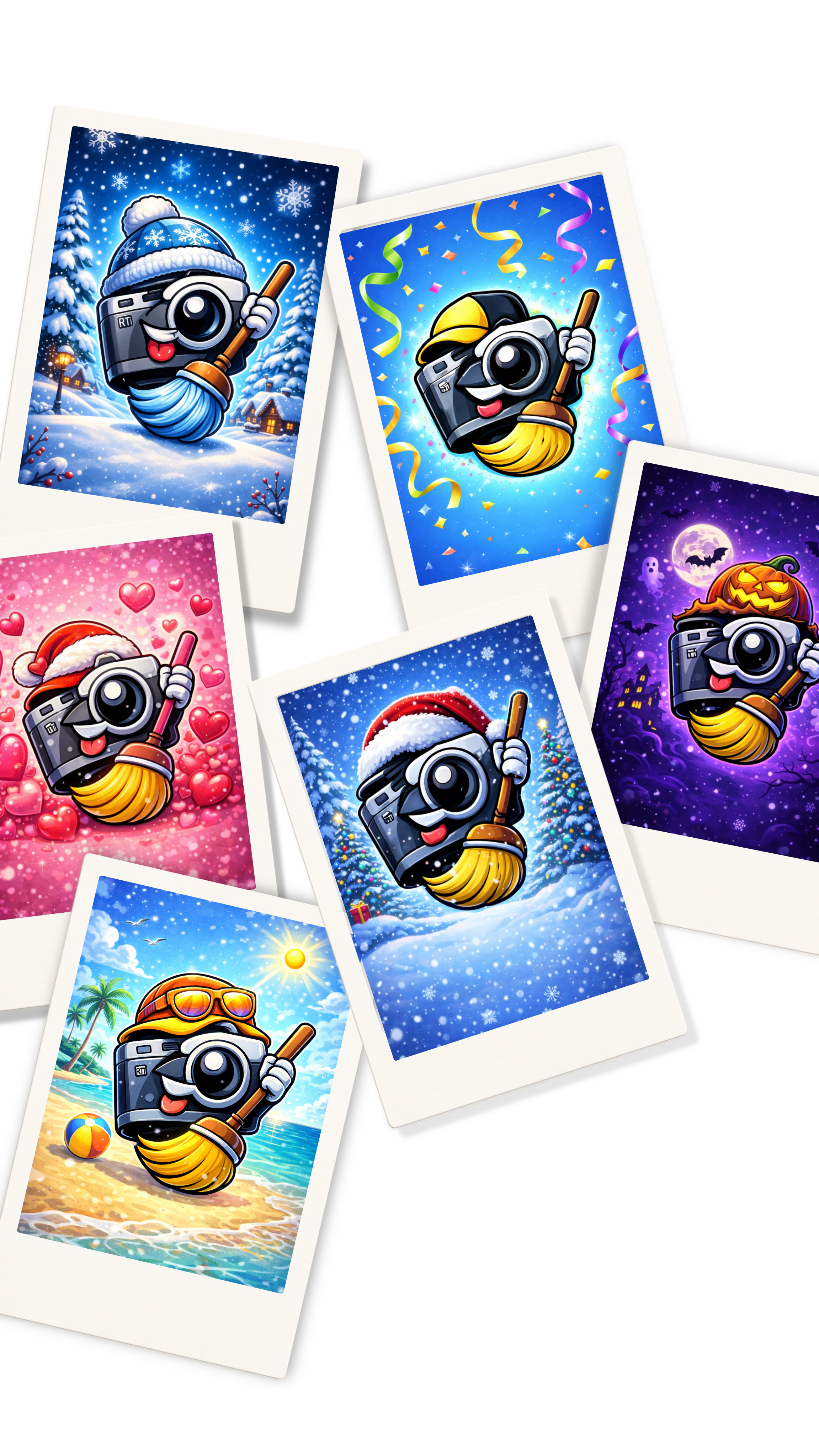
The seven seasons
- 🎃 Halloween — mid-October through November 1
- ❄️ Winter — December through mid-February
- 💘 Valentine's — mid-February
- 🌸 Spring — March and April
- 🌞 Summer — May through August
- 🍂 Autumn — September and early October
- ✨ Default — fallback any time
Why a photo cleaner ships seasonal icons
Most utility apps ship one icon and call it done. Seasonal icons are a signal that MemeScanr is a product, not just a tool — something with a point of view, something worth keeping on your home screen. They also give the app a recurring editorial moment: every seasonal switch is eligible for inclusion in Apple's "Seasonal" App Store editorial collection, which is free featured visibility four times a year.
The switch itself uses Apple's standard setAlternateIconName API. iOS shows a one-time confirmation dialog the first time MemeScanr proposes a switch, after which the transition is silent and automatic.
Seasonal icons FAQ
How do seasonal icons switch?
MemeScanr checks the current date on app launch and on a daily background task. If the current date falls inside a seasonal window, MemeScanr asks iOS to switch its icon via the standard UIApplication setAlternateIconName API. iOS shows a one-time confirmation dialog — after that the switch is silent.
Can I pick my own icon instead?
Yes. Seasonal auto-switching can be disabled in Settings, and you can manually pick any of the seven icons at any time. The app also respects your manual choice for the current season so it won't auto-override your pick.
Do seasonal icons work on iPad?
Yes. Icons ship at both iPhone (@2x / @3x) and iPad (167×167, 152×152) sizes in the app bundle. No separate install is required.
Why did you build this?
Seasonal icons are a tiny, delightful touch that no competitor bothers with. They're a visual signal that MemeScanr is a product the team actually cares about. Apple also features apps with seasonal icons in editorial collections, which means every icon drop is a chance for free App Store visibility.